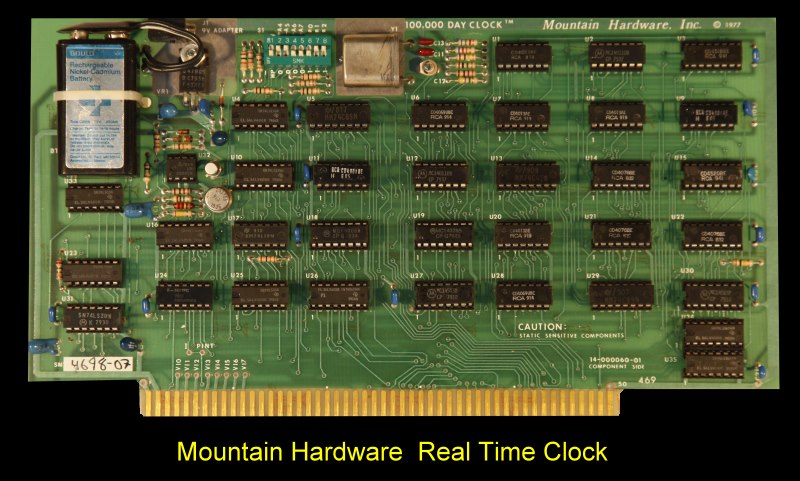
Image from S100computers.com
The Mountain Hardware 100,000 Day clock is a S100 board from 1978, is an accurate time piece for your computer. It will keep track of time in 100 ·microsecond intervals, up to 100,000 days. Advanced Complimentary Metal Oxide Semiconductor (CMOS) circuit draws less than 2 mA, which allows the clock to be run off a 9-volt battery for up to four days while the computer is shut down or if AC power fails.
The zip file contains a C program for a Cromemco Cromix computer with a 16 bit DPU/XPU cpu. it will set the time and date at boot and it can set the date for year 2000 and up.
rtc needs a privileged user (e.g. system) because it uses the phys() system call.
Command What it does
rtc Read the board and print date, weekday, time and day number
rtc -s yyyy/mm/dd hh:mm[:ss] Set the board to this date and time (any non-digit separates the numbers; 2-digit years allowed)
rtc -w Set the board from the Cromix date and time (waits for the next Cromix second so the board starts at the start of a second)
rtc -c Set the Cromix date and time from the board (used at boot)
rtc -d Diagnostic: raw dumps, read reliability, BCD check, 3-second tick test, board vs
Cromix time
rtc -x Statistics: reads each digit port 500 times, prints AND/OR masks and value counts
rtc -p xx … Use base port xx (hex) instead of A0; put it first, e.g. rtc -p 20 -d
Example output:
system[57] rtc -w
board set to Wed 2026/11/18 16:03:18.0000 (day 17854)
system[58] rtc
Wed 2026/11/18 16:03:19.9104 (day 17854)
system[61] rtc -c
Cromix set to Wed 2026/11/18 16:03:35.9460 (day 17854)
Exit codes: 0 = OK, 1 = usage or system error, 2 = no valid clock / diagnostic failed, 3 = the board did not take the new time (WRITE PROTECT switch?).